Applied app icon
AppliedJob search tracker for iPhone

Run your job search like a pipeline.

Log every application the moment you send it, move it forward as companies reply, and see which resume and which job boards are actually getting you interviews.

Download on the App StoreFree for iPhone, with an optional one-time purchase to remove ads
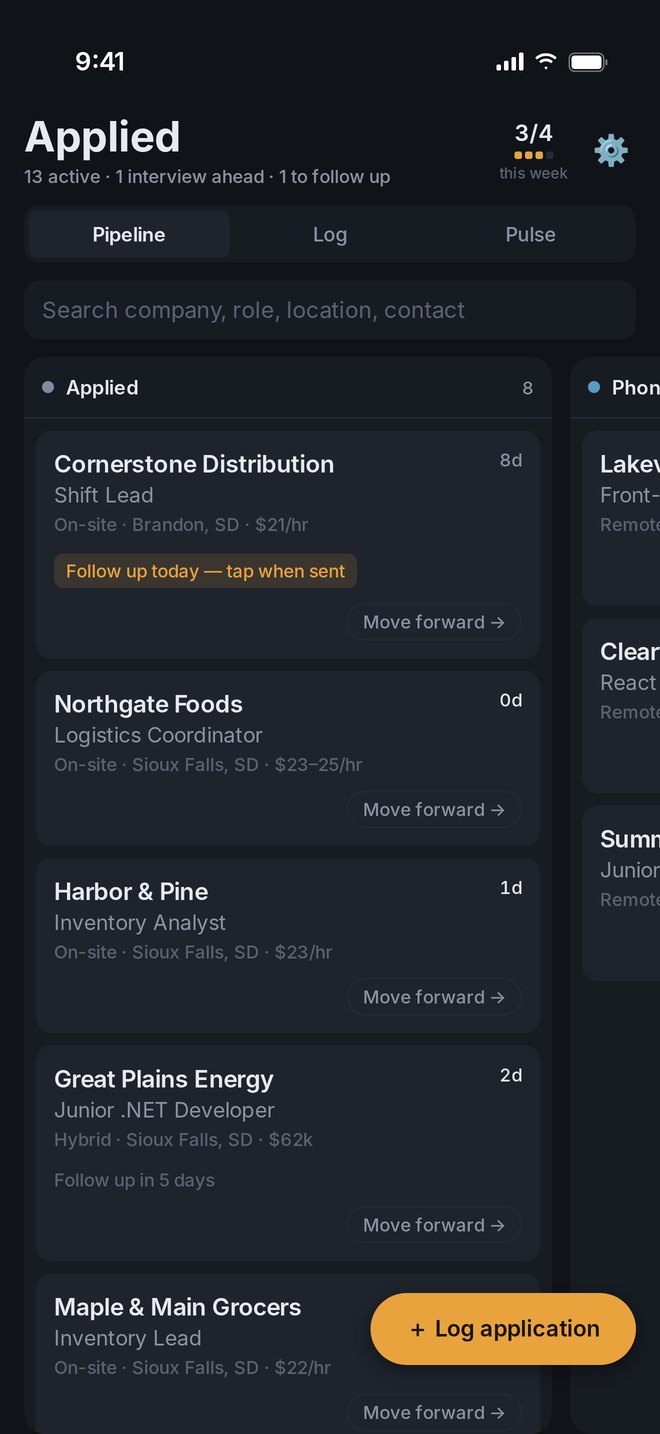
Applied's Pipeline view, showing applications in the Applied and Phone screen columns

Every application moves through the same four stages

  1. Applied

    Company, role, pay, posting link, and the resume version you sent.

  2. Phone screen

    Tap Move forward when they call. The date is saved to the timeline.

  3. Interview

    Schedule it and get a reminder an hour before you start.

  4. Offer

    See how long it took and what got you there.

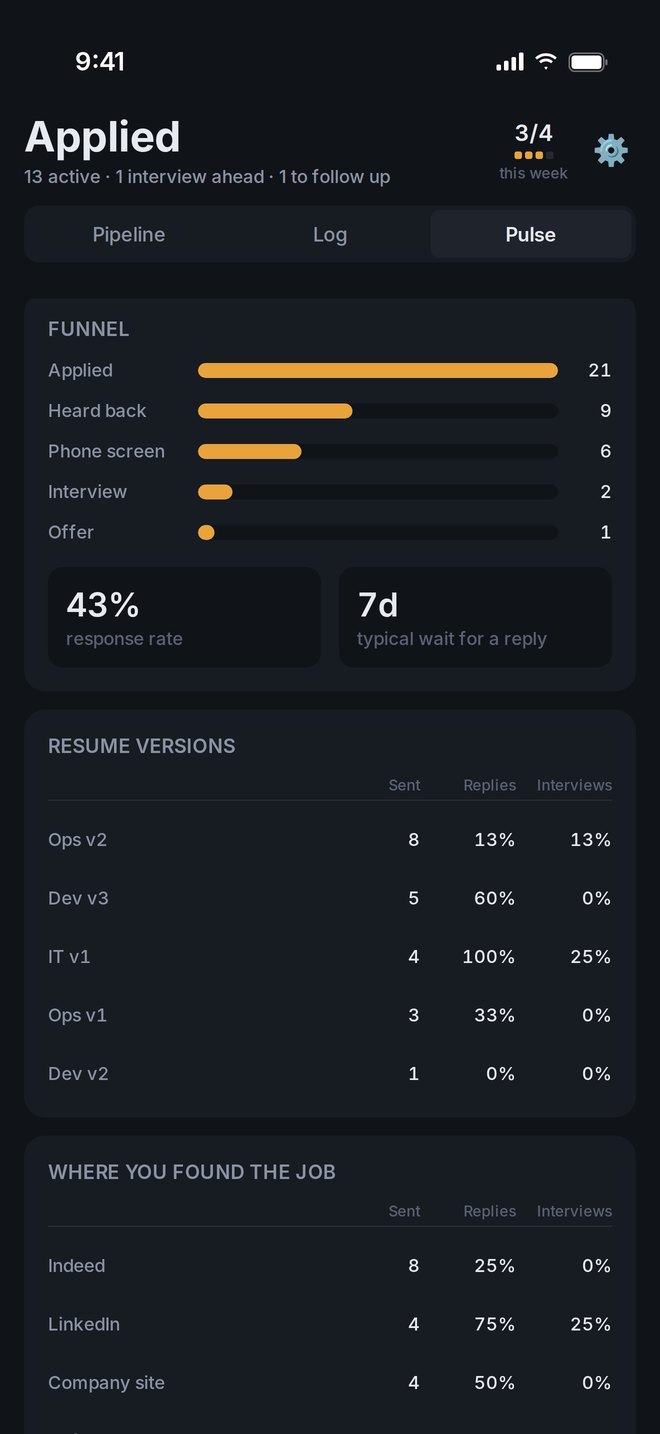
Pulse view with reply and interview rates by resume version and job source

Find out which resume gets replies

Pulse turns your own history into answers. Compare reply and interview rates for each resume version and each place you found a job, so you spend your time where it works.

  • Weekly goal with a streak you can keep
  • Response funnel from Applied to Offer
  • Your response rate and how long replies usually take
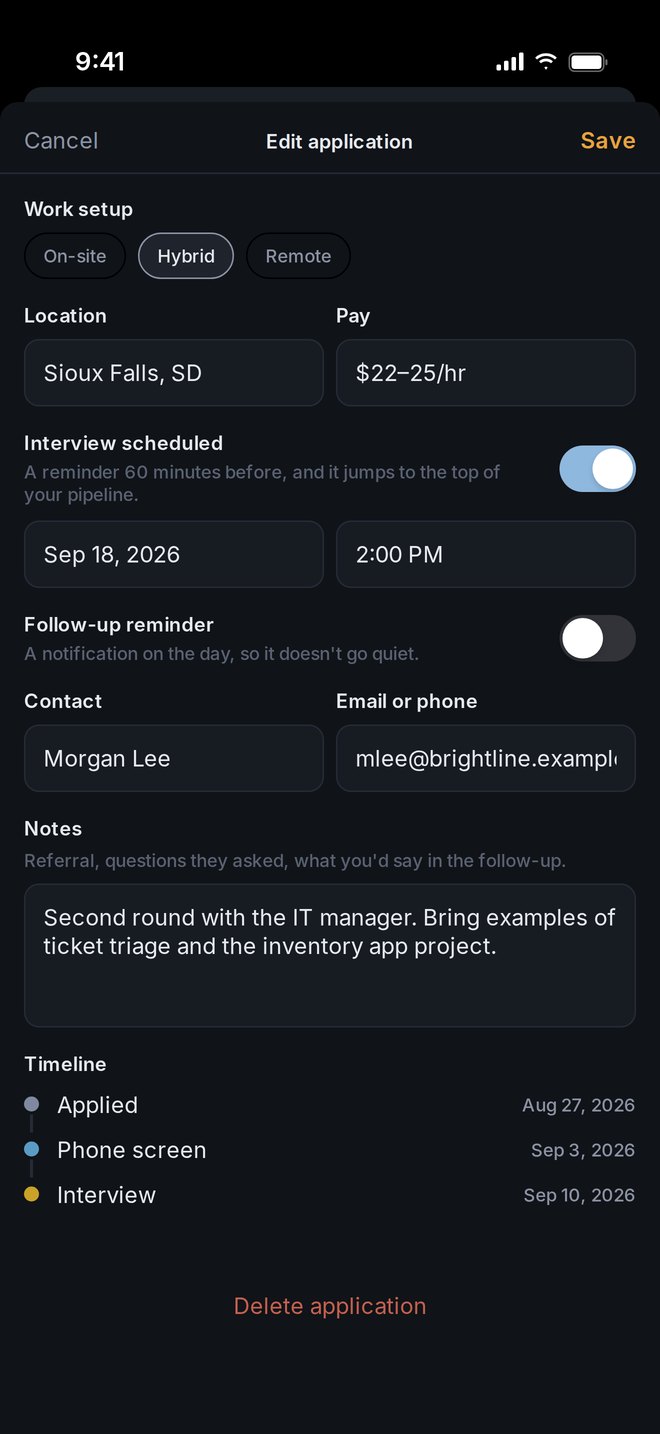
An application with work setup, pay, interview time, contact, notes, and a dated timeline

Every application keeps its history

Postings come down once a role fills. Applied keeps the details that matter, along with a dated timeline of every stage change.

  • Posting link, pay, location, and on-site, hybrid, or remote
  • Recruiter or hiring manager contact
  • Notes for your follow-up or interview prep
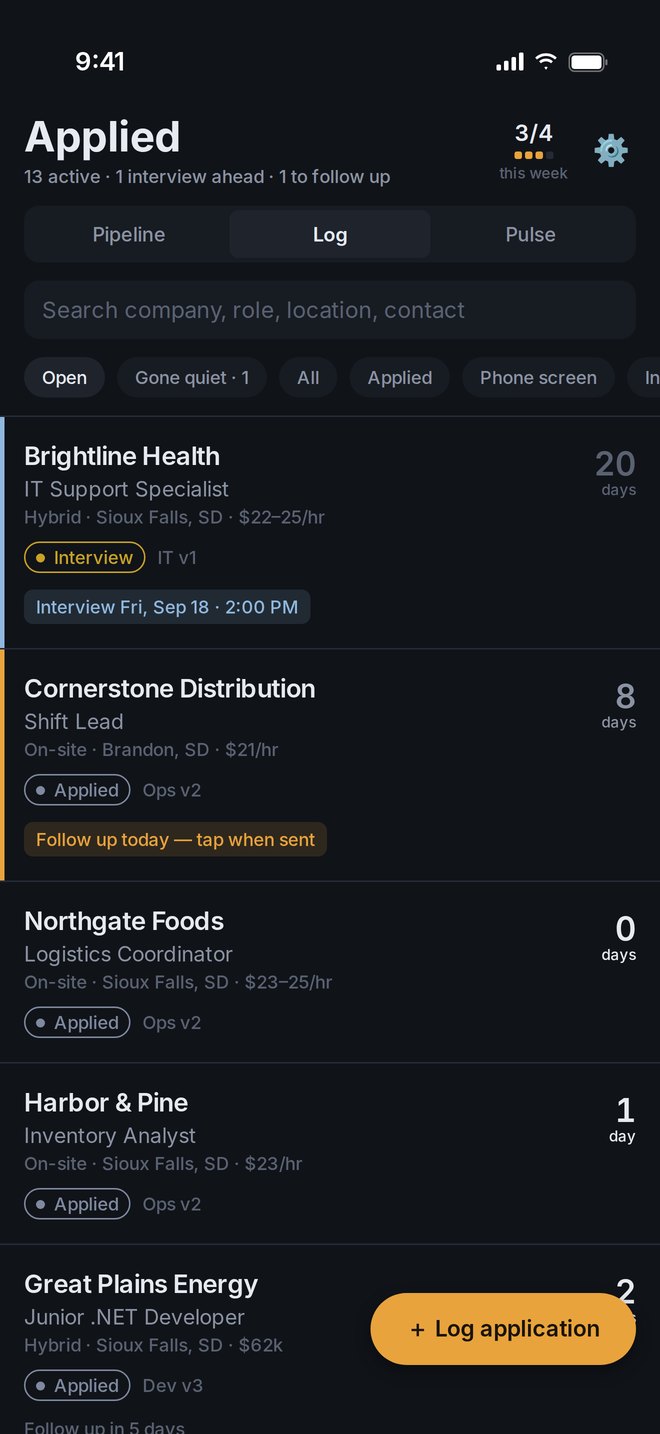
Log view with an upcoming interview and an overdue follow-up at the top

Know what needs you today

Upcoming interviews and overdue follow-ups rise to the top. Applications with no reply after the number of days you choose get flagged, so you can follow up or close them out in one tap.

  • Follow-up reminders on the day you pick
  • Search by company, role, location, or contact
  • Export everything to a CSV spreadsheet

No account

Open the app and start logging. There is nothing to sign up for.

Stays on your iPhone

Your applications are stored on your device and never sent to a server.

Yours to take

Export every application as CSV whenever you want. Read the privacy policy.